Print It: Why Your Homestead Plans Shouldn’t Live Online
It might seem odd for an AI website to tell you to print things. But it’s our first rule, and here’s why: nothing important lives only online. So let’s start with the page that matters most.
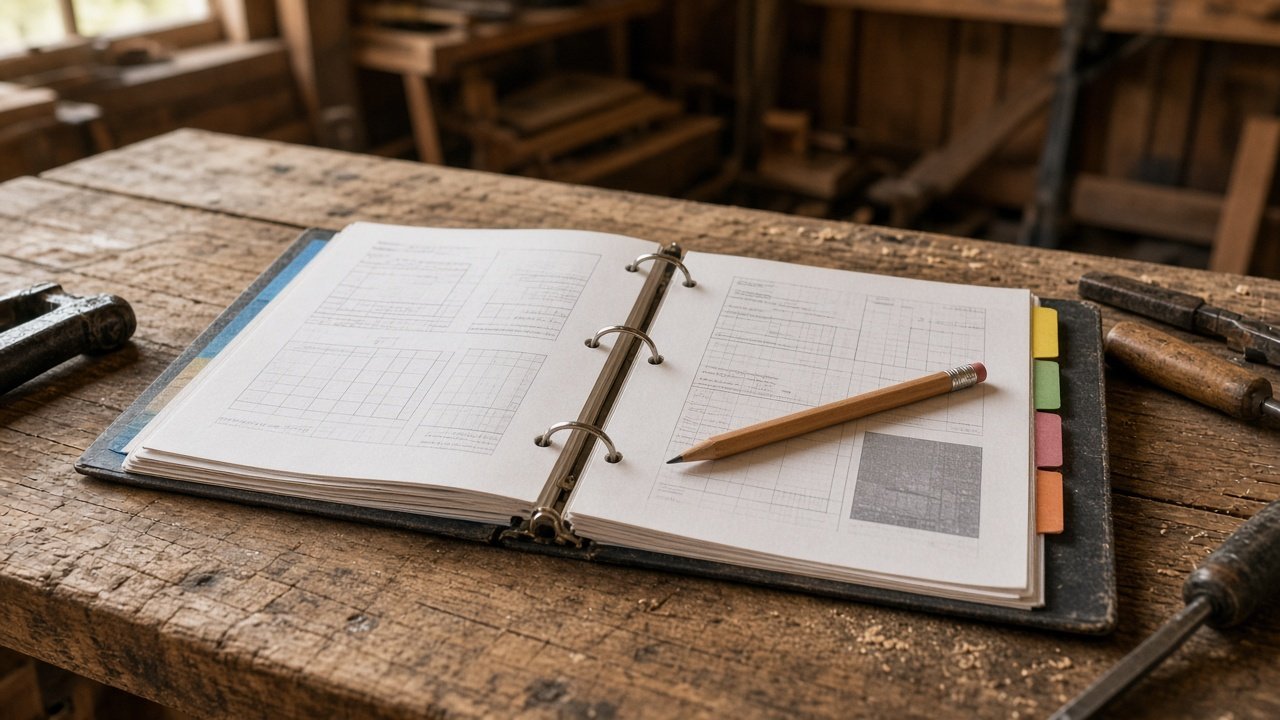
Do this today: one emergency page
Start with one page: your emergency contacts and shutoffs. Print it today and put it on the fridge. On it, list your vet, your extension office, your electrician, your well driller or water company, and where to shut off water, power and propane. No chatbot needed. A pen works fine.
What belongs on paper first
Start with the pages you would need if the power and the internet both quit tonight:
- Emergency contacts and shutoff map (well, propane, electric panel, gate codes you are willing to store on paper)
- Animal chore sheets and feed notes
- Tested canning recipes in their original wording
- Generator / pump start steps in the order that works on your setup
Garden layouts, planting calendars and budget trackers can live in the binder too. Chat logs and “I’ll find it later” tabs should not be the only copy.
Then build the binder
A typical homestead binder might include:
- Emergency contacts and shutoff locations
- Garden plan and planting calendar
- Animal records: chores, eggs, health, breeding
- Tested preserving recipes, the originals, not summaries
- Maintenance logs for the pump, generator and tools
- Budget and receipts
- Yearly notes: what worked, what didn’t
A three-ring binder and a pack of tab dividers is all it takes.
The job
Keep your homestead plans, records and references where you can always get to them, whether the power, the internet or the app is working or not.
The pillar
Organization.
Why print it
The power goes out
Homesteads are often rural, and storms knock out power and internet. That’s exactly when you need your notes on the generator, the well pump or the animals.
Apps change and chats disappear
Services change their features, raise prices or shut down. A chat history you were counting on can be hard to find months later. Paper stays put.
Phones and barns don’t mix
Muddy hands, a dusty coop and a phone screen aren’t a good combination. A sheet on a clipboard is.
Paper makes you check it
When you print something, you read it. That’s when you catch the frost date that’s off or the spacing that doesn’t match the seed packet. Printing is a built-in “use it, then check it” step.
It’s how homesteaders always did it
Settlers carried guidebooks like Marcy’s The Prairie Traveler. Farm families kept almanacs, catalogs and extension bulletins on the shelf. Paper was the knowledge base. It still works.
Let AI do the paperwork (optional)
If you’d like help setting up the binder, this is the kind of organizing AI is good at. First, its limits.
Where AI falls short
AI doesn’t remember things the way you need it to. It might not have your previous conversation, and if it does, it can mix things up. Your printed records are the source of truth. AI works from them, not instead of them.
Step 1: Ask it to suggest the sections
Help me set up a homestead binder. I have [garden, chickens, well, etc.]. Suggest tabbed sections and a one-page cover sheet listing important contacts and info, like the vet, extension office, well driller and electrician.
Step 2: Make everything printer-friendly
When AI makes you a plan, ask for “a one-page printable table” or “a checklist I can print.” Short and clear beats long and pretty.
Step 3: Write on it
Mark up your printouts. Cross things out. Add notes. Those handwritten notes are your homestead’s real knowledge, gathered from your own land.
Step 4: Feed it back
At the end of the season, type up or photograph your notes and give them to AI: “Here’s what happened this year. Update next year’s plan.” This is how you move to the front of the line, learning from your own mistakes as well as other people’s.
How AI fits the binder, not the other way around
Use AI to draft the cover sheet, tab list and blank tables. Paste your frost dates and flock size so the draft is already close. Print. Write on it for a season. Then photograph or type the marked-up pages back into AI and ask for next year’s update. That loop is the point: shorten the learning curve, then keep the knowledge where a storm can’t erase it.
Plan it fast, print it, own it. The newest tool in the shed still ends up in a three-ring binder.
A word on privacy
Printing also means you don’t have to keep everything in an online account. Think about what you share with AI tools, and keep sensitive things like addresses, finances and security details on paper or in your own files.
Check it here
- Our Check It Here page lists sources to verify what’s in your binder
- Your extension office for printable bulletins
Print it
If you haven’t yet, make that emergency page first. Everything else in the binder can come one tab at a time.
[DOWNLOAD PLACEHOLDER: homestead binder cover sheet and tab dividers]
Plan it fast, print it, own it.